
Remove Search1.me redirect
Search1.me is associated with a fake search engine that is typically promoted through a browser hijacker or other potentially unwanted applications (PUAs). Instead of behaving like a legitimate search tool, it modifies browser settings so that users are repeatedly redirected to the Search1.me website when they open a new tab, launch their browser, or enter search queries in the address bar. These changes usually occur without the user’s clear consent, which is why security researchers classify the program as a browser hijacker rather than a normal browser extension.
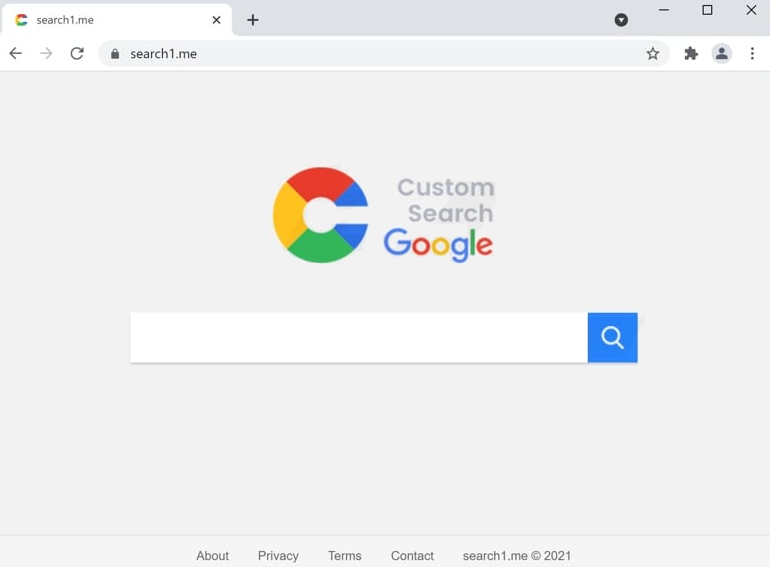
When the hijacker is active on a system, it alters several core browser preferences. For example, it can replace the default homepage, new tab page, and default search engine with the Search1.me domain. As a result, any attempt to perform an online search or open a new browser window leads to the same promoted search page. This behavior ensures that the operators behind the hijacker receive a steady flow of traffic, which can be monetized through advertising networks and sponsored search results.
Although the page itself may appear similar to a legitimate search service, it does not necessarily generate its own search results. Many fake search engines simply redirect queries to established providers such as Google, Yahoo, or Bing after routing the request through intermediary pages. During this process, the user may be exposed to additional advertisements or sponsored links inserted into the results. In some cases, the displayed results can be inaccurate or contain links to unreliable or potentially harmful websites.
Another concern with browser hijackers like Search1.me is data collection. These programs often track browsing activity to gather information about user behavior. The collected data may include browsing history, search queries, IP addresses, or other details that can be used to build marketing profiles. Such information is typically shared with advertising partners or sold to third parties for profit. This practice can raise serious privacy concerns, especially when personally identifiable information is included in the collected data.
Many browser hijackers also implement persistence mechanisms to make removal more difficult. They may install additional extensions, modify system policies, or repeatedly restore the malicious settings if the user attempts to change them manually. Some variants even exploit built-in browser features designed for enterprise management, making the browser appear “managed by your organization” and preventing users from modifying their own settings. These tactics allow the hijacker to remain active on the system and continue redirecting traffic even after users attempt to restore their preferred configuration.
Although Search1.me itself is not always classified as a high-risk virus, it still poses security and privacy risks. Redirected searches, intrusive advertisements, and tracking activities can degrade browsing quality and expose users to scams, phishing pages, or other malicious content. Browser hijackers are therefore commonly categorized as potentially unwanted programs (PUPs) because they primarily serve the interests of their developers rather than the user.
How Search1.me installs and how to avoid it
In most cases, the Search1.me hijacker does not appear on a computer as a direct download. Instead, it is typically distributed through software bundling, a technique where additional programs are packaged together with legitimate applications. When users install free software downloaded from unofficial websites, the installer may contain optional components such as browser extensions, toolbars, or adware. If the installation process is rushed or the default settings are accepted, these bundled components can be installed automatically.
Bundled software installations are one of the most common distribution methods for browser hijackers. The extra components are usually hidden within the installation wizard and presented as recommended options or pre-selected checkboxes. Many users overlook these details because they choose the “Quick” or “Express” installation mode, which automatically approves all included offers. As a result, the hijacker gains access to the browser and modifies its settings without the user realizing what happened.
Another distribution channel involves misleading advertisements and redirect pages. Users may encounter pop-up ads claiming that a browser extension will improve their search experience, provide faster browsing, or unlock additional features. After clicking the advertisement, they may be redirected to a download page that promotes the extension responsible for the Search1.me redirects. Some websites also trigger automatic redirects through advertising networks to promote such downloads.
Peer-to-peer networks, torrent websites, and unofficial download portals are also frequent sources of bundled software that contains browser hijackers. These platforms often host repackaged installers that include additional advertising components. Because the original developers do not control these distributions, malicious or unwanted programs can easily be inserted into the installation package. Users who download software from these sources face a higher risk of installing potentially unwanted applications.
To avoid infections like Search1.me, users should adopt several safe browsing and installation practices. First, software should always be downloaded from official developer websites or trusted distribution platforms. Official sources are far less likely to include bundled adware or unauthorized modifications. Second, during installation, users should carefully review each step of the setup wizard and select the “Custom” or “Advanced” installation mode whenever possible. This option typically reveals additional components that can be deselected before installation proceeds.
It is also advisable to remain cautious when encountering unexpected advertisements, pop-ups, or redirect pages promoting browser extensions or software downloads. Even if the offer appears legitimate, verifying the reputation of the extension or program before installing it can help prevent unwanted changes to the system. Security software and browser protection tools can also help detect suspicious extensions and block known hijackers before they modify browser settings.
Ultimately, the key to preventing browser hijackers lies in careful software management and awareness of deceptive distribution techniques. By downloading programs only from reliable sources, reviewing installation options, and avoiding suspicious advertisements, users can significantly reduce the risk of encountering threats like the Search1.me redirect hijacker.
Remove Search1.me redirect
Browser hijackers can be troublesome to get rid of manually. It’s strongly recommended to use an anti-virus program like WiperSoft to remove Search1.me redirect and the hijacker promoting it. When the hijacker is no longer present, there should be no issue with changing a browser’s settings.
Site Disclaimer
WiperSoft.com is not sponsored, affiliated, linked to or owned by malware developers or distributors that are referred to in this article. The article does NOT endorse or promote malicious programs. The intention behind it is to present useful information that will help users to detect and eliminate malware from their computer by using WiperSoft and/or the manual removal guide.
The article should only be used for educational purposes. If you follow the instructions provided in the article, you agree to be bound by this disclaimer. We do not guarantee that the article will aid you in completely removing the malware from your PC. Malicious programs are constantly developing, which is why it is not always easy or possible to clean the computer by using only the manual removal guide.