
Remove searchtoggler.com redirect
The searchtoggler.com redirect is associated with a browser extension called Search Toggler, which has been classified as a browser hijacker. Although the extension is promoted as a convenient tool for switching between different search engines, its actual behavior differs from what is advertised. After installation, it modifies browser settings and forces users to use searchtoggler.com.
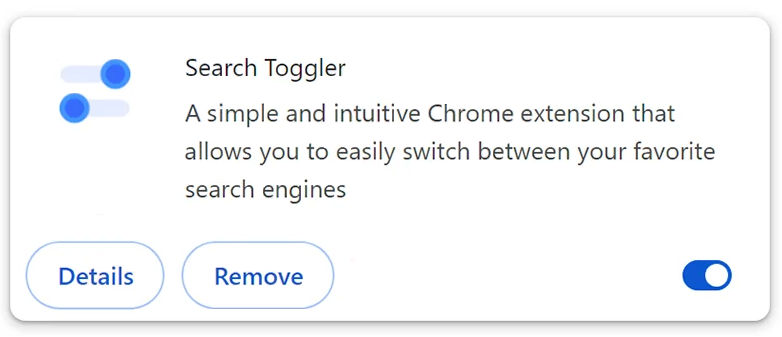
Once active, Search Toggler changes the browser’s default search engine, homepage, and new tab page. As a result, users are automatically redirected to searchtoggler.com whenever they perform searches or open new browser tabs. These modifications are made to promote the website and generate traffic rather than improve the browsing experience.
An unusual aspect of this extension is that its promotional material claims it will set the browser’s search functionality to Microsoft Bing. However, the permissions requested during installation reveal that it actually redirects users to searchtoggler.com instead. This discrepancy suggests that the extension’s marketing does not accurately reflect its behavior.
The searchtoggler.com website itself does not generate independent search results. Instead, it redirects users to established search engines such as Yahoo or Yandex, depending on their geographic location. Since the site serves mainly as an intermediary, its primary purpose appears to be generating traffic and advertising revenue.
Like many browser hijackers, Search Toggler may also create privacy concerns. Software in this category often tracks browsing-related information, including search queries, visited pages, clicked links, and other usage data. This information can potentially be used for advertising purposes or shared with third parties.
Users affected by the searchtoggler.com redirect may notice altered browser settings, unwanted redirects, slower browsing performance, and increased exposure to sponsored or unreliable content. While the threat is not typically considered highly destructive malware, it still reduces user control over the browser and can negatively impact privacy and security.
How searchtoggler.com gets installed and how to avoid it
The searchtoggler.com redirect is most commonly introduced through the Search Toggler browser extension. The extension is distributed through its own promotional website and may also be encountered through browser extension platforms, advertisements, and other online promotions. It is presented as a tool that simplifies switching between search providers, which may persuade users to install it without carefully reviewing its permissions.
Browser hijackers are also frequently spread through software bundling. Free programs downloaded from unofficial websites may include additional components such as browser extensions. Users who install software using default or recommended settings may unknowingly allow these extras to be installed alongside the intended program.
Another common distribution method involves misleading advertisements and pop-ups. Users may encounter messages promoting browser enhancements, search tools, or productivity features. Clicking these advertisements can lead to the installation of extensions that modify browser settings and generate redirects.
Some browser hijackers employ persistence mechanisms designed to make removal more difficult. These techniques may restrict access to browser settings or automatically restore unwanted changes after users attempt to reverse them. This behavior is often used to ensure that the promoted search engine continues receiving traffic.
To avoid threats like searchtoggler.com, users should only download software and browser extensions from trusted sources and carefully examine the permissions requested during installation. Extensions that request control over search settings, browsing activity, or homepage configuration should be reviewed with caution.
It is also advisable to select Custom or Advanced installation options when installing software. These settings provide an opportunity to review optional components and decline any additional applications or extensions that are not needed.
Remove searchtoggler.com redirect
Regularly reviewing installed browser extensions can help identify unwanted additions before they cause problems. Extensions that were installed unexpectedly or that perform functions different from those advertised should be removed immediately. It’s easiest to remove searchtoggler.com redirect and the browser hijacker promoting it using an anti-virus program like WiperSoft.
Site Disclaimer
WiperSoft.com is not sponsored, affiliated, linked to or owned by malware developers or distributors that are referred to in this article. The article does NOT endorse or promote malicious programs. The intention behind it is to present useful information that will help users to detect and eliminate malware from their computer by using WiperSoft and/or the manual removal guide.
The article should only be used for educational purposes. If you follow the instructions provided in the article, you agree to be bound by this disclaimer. We do not guarantee that the article will aid you in completely removing the malware from your PC. Malicious programs are constantly developing, which is why it is not always easy or possible to clean the computer by using only the manual removal guide.